Posts

Showing posts with the label SAML

How to change Issuer (Entity ID) in Zoho Desk

Image
 If you already created Help Center and added and saved SAML configuration, you can't change Issuer (Entity ID). To change Issuer you need to click Disable button (in right up corner).  Notice: All other settings will be cleaned as well.
How to logout from Zoho Desk via SAML

Image
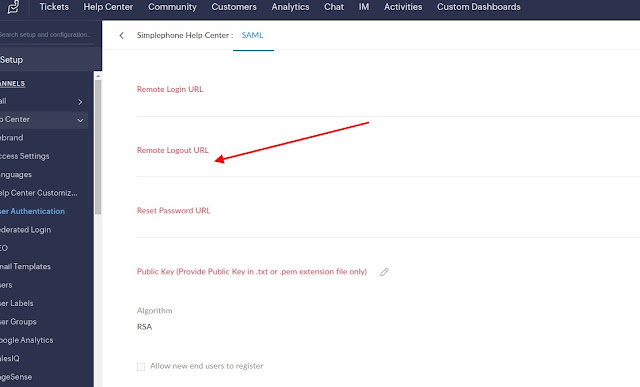
 As standard SAML request logout does not work, you can use OAuth logout URL . When you try to put standard SAML logout URL, you catch an error: "The SAML v2 logout request is missing the SAMLRequest parameter." As a work case, you can use standard AOuth logout URL. For example, you can get it from Fusion Auth, in "OAuth2 & OpenID Connect Integration details" tab.

How to upload Public Key in Zoho Desk for SAML authentication

Image
 When you try to upload standard Public Key to Zoho Desk with SAML authentication, you got an error. I resolved this issue by upload Certificate instead of Public Key. So honestly Zoho Desk is waiting for Certificate, not a Public Key, as it said on the SAML page ('Public Key (Provide Public Key in .txt or .pem extension file only)').

How to connect Fusion Auth to Zoho Desk via SAML

Image
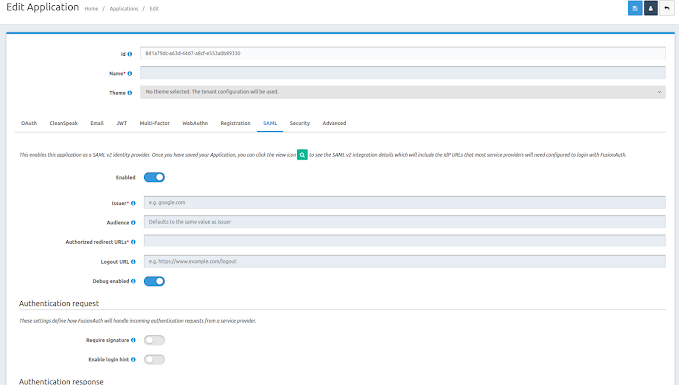
Create new Application in Fusion Auth. Choose SAML tab. Enable SAML as Identite Provider.  The main thing - set Issuer 'zoho.eu' for any applications. Set 'Authorized redirect URLs' from Zoho 'Help Center SAML Response URL'. Left for Authentication request disabled 'Require signature'.